Quick start guide
What Precision hreflang manager does
Precision Hreflang manager adds correct tags to your pages so search engines understand language/region variants.
Before you begin:
- If you’re completely new to hreflang tags SEMrush have an article for beginners here.
- This plugin is intended for multisites where each site in the network has its own language.
Install
- Install & network activate the plugin.
- Navigate to the Main site in your multisite network. Open PP Hreflang.
Tip: to begin click Getting Started on PP Hreflang to see an on-page help.
- In the table, each row represents a group of posts/pages that need tags), e.g. contact
- Click Add hreflang to add language/region entries (e.g., en-GB, de-AT).
- Choose the language, country and set the URL to /contact/. Click Update.
- Add an entry for a localised variant, e.g. kontakt (the German page for contact).
- Repeat for each language you have.
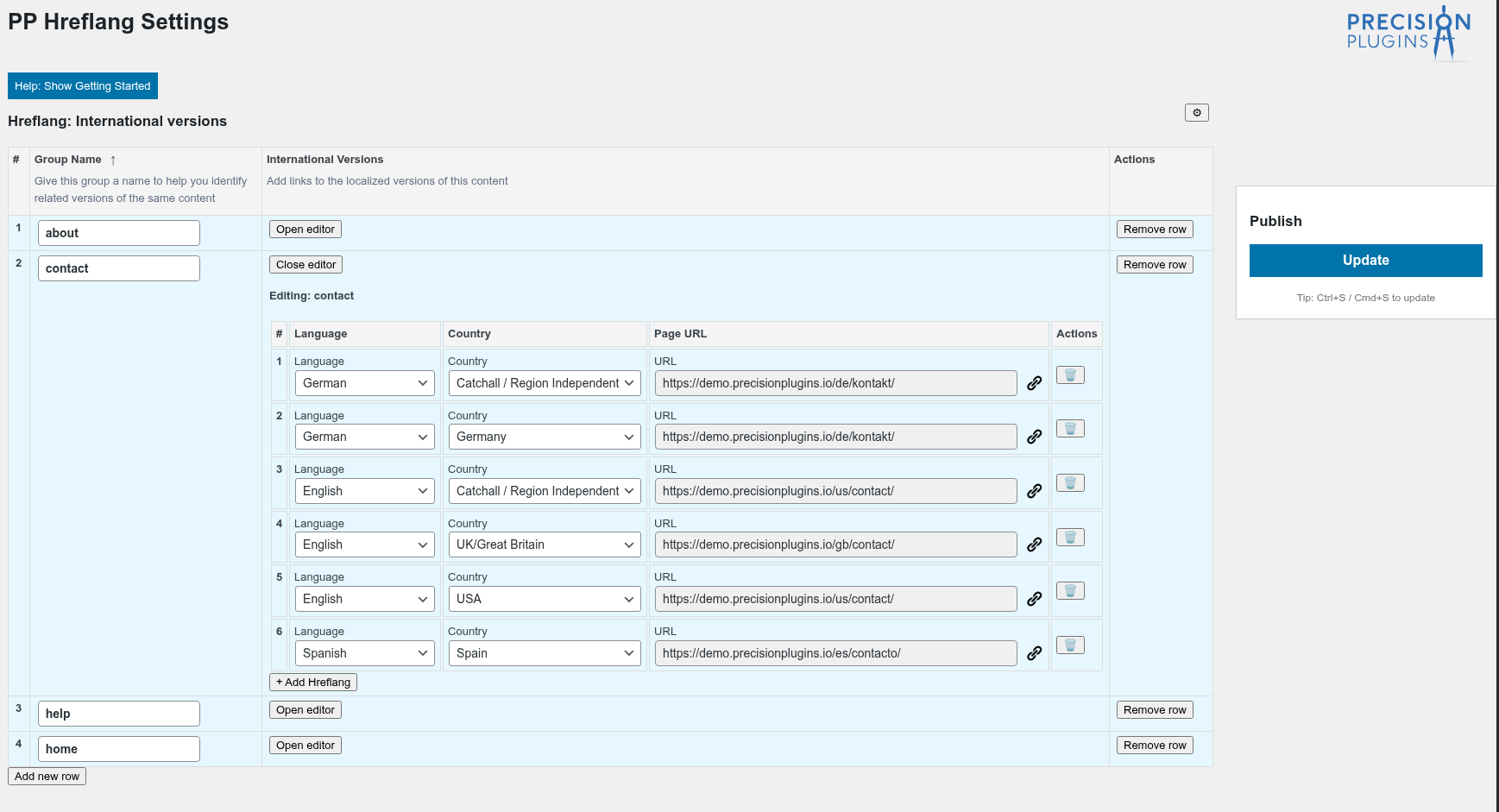
Editing hreflang tags for the contact group
Default language
- Choose “Fallback (x-default)” in the language drop-down to write x-default tags. The country automatically changes to Catchall if you set the language to Fallback.
Catch-all country
- Choose “Catchall / region-independent” in the country drop-down to write tags like hreflang=”en” without a region.
Verify output
View the page source and search for hreflang.
NB This version supports linking pages within the multisite network. Support for external URLs will be added in a future update.
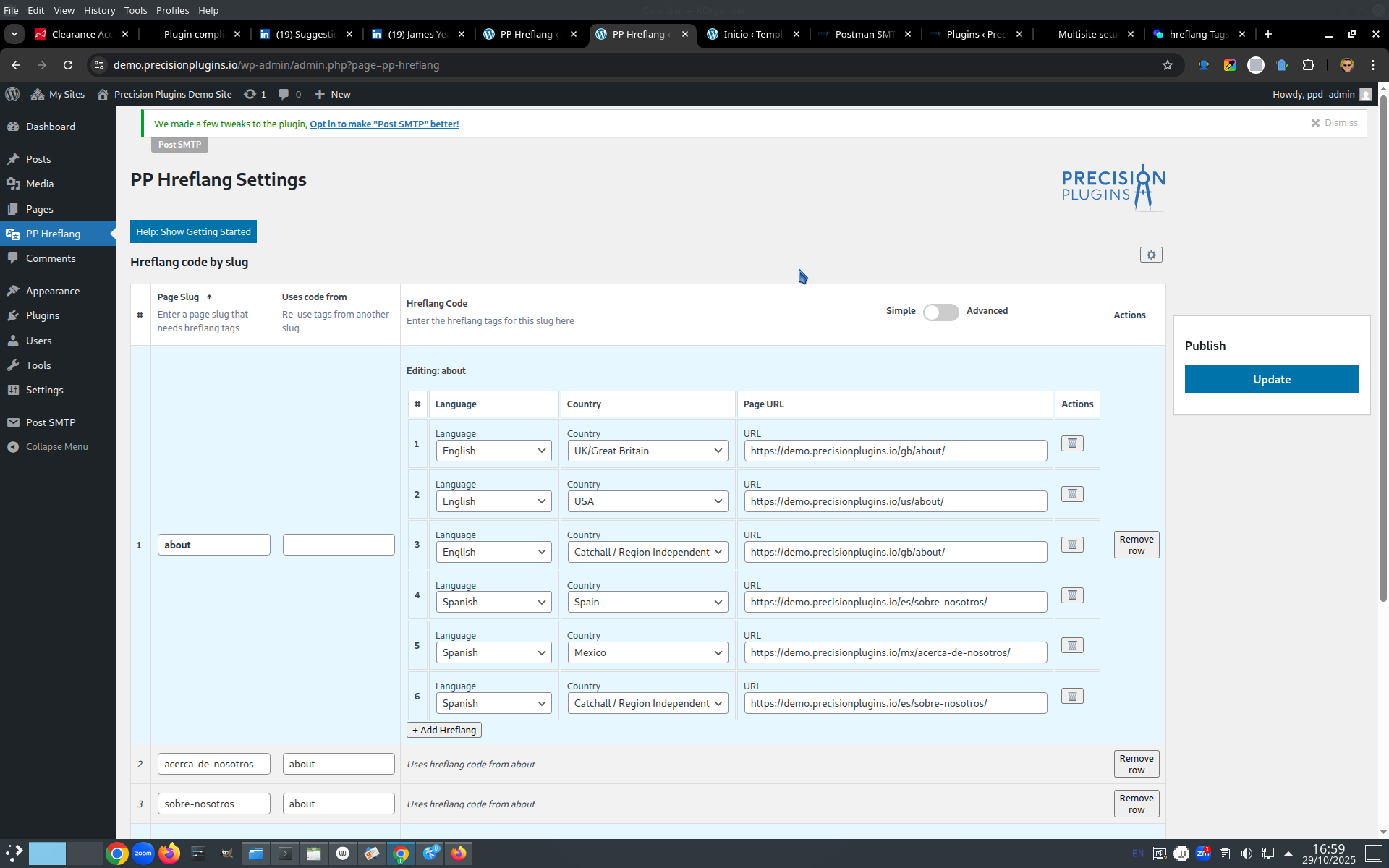
The about page in 2 variations of English, 2 Spanish and German. Click for larger image.