Common Mistakes When Working With Hreflang Tags
If you’re implementing hreflang tags on your multilingual WordPress site, it’s easy to make a few missteps, especially in the early stages. Below are some common errors you might encounter when testing with third-party SEO tools.
We recommend using the TechnicalSEO.com hreflang tester to validate your tags. Here’s what to watch out for:
1. URLs Redirect (301/302 Instead of 200)
Most testing tools expect the URLs in your hreflang tags to return a direct 200 OK response, not a 301 or 302. WordPress will often redirect URLs without trailing slashes to their slash-ending counterparts. This creates a 301 redirect which can trigger a test failure.
Fix: Ensure the URL you enter in your hreflang tag includes the trailing slash if that’s how it’s served.
Use: https://example.com/page/
Not: https://example.com/page
The Precision Hreflang plugin makes it easy to edit and correct these URLs.
2. Missing Region-Independent Language Tag (e.g. en)
If you only define region-specific tags like en-GB, en-US, and en-IE, testing tools may report that you’re missing a fallback for the language as a whole.
Search engines benefit from a language-only tag (e.g. en) to cover unspecified regions such as India (en-IN) or Singapore (en-SG).
Fix: In the Precision Hreflang plugin:
- Add a new hreflang entry.
- Select the language (e.g. English).
- Select Catchall / Region Independent for the country.
- Enter the fallback URL for that language.
3. Missing Return Link (Reciprocal Hreflang)
Each page must include hreflang tags for all the other pages that link to it. If Page A points to Page B, Page B must also point back to Page A.
Example:
example.com/en/contact/ links to
example.com/de/kontakt/,
but the German page doesn’t include a link back to the English page.
This breaks the reciprocity rule.
Fix: Use a central UI like our plugin, where all tags are grouped together. This makes it easier to spot missing return links and ensure consistency.
4. Unequal Number of Tags Between Pages
All pages in your hreflang set should include the same number of hreflang tags. A mismatch – e.g. 25 tags on one page and 24 on another -usually means a missing return link or an inconsistent tag.
How to check:
- Open the source code of each page (right-click → View Page Source or press Ctrl+U).
- Search for
hreflangand count the entries. - Compare the lists between pages and add any missing tags.
5. Wrong language or country codes
One of the most common and subtle mistakes is using incorrect or invalid language–region combinations in your hreflang attributes. For example:
en-UKis not valid – it should been-GBzh-CNis valid, butcn-ZHis not- Language codes must follow ISO 639-1, and country codes must follow ISO 3166-1 alpha-2
Using incorrect codes means search engines will ignore the hreflang tag entirely – often without warning.
The Precision Hreflang plugin solves this by letting you select from predefined, standards-compliant dropdowns for both language and country, avoiding typo-based or invalid combinations entirely.
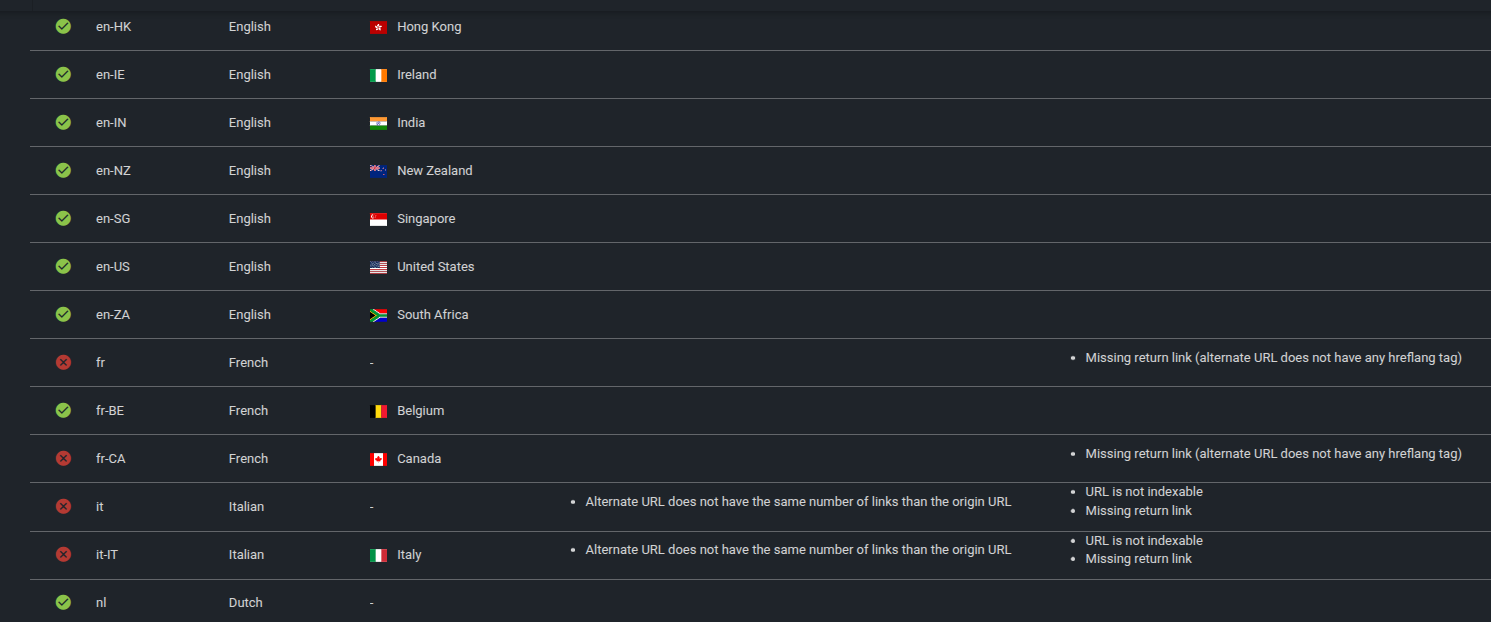
Common hreflangtag errors (click to enlarge)
Need help with your multilingual SEO setup? Contact us or learn more about the Precision Hreflang plugin.
Also see: Google’s official hreflang documentation.